
Free Email Countdown Timer (No Watermark)
Looking for a free, no-watermark countdown timer for your emails? With MailCountdowns you can generate a high-quality animated GIF countdown that works across major email platforms and clients. No branding, no code complexity—just copy, paste, and send.
Why use an email countdown timer?
- Drive urgency for sales, launches, and events
- Improve click-through rates by highlighting limited-time offers
- Add a dynamic element that still renders reliably as an animated GIF
Not sure what an email countdown timer is or how it works? Check out our complete email countdown timer guide for an in-depth overview.
How it works
MailCountdowns generates an animated GIF on the fly at open time. Each open receives a fresh frame set so the timer stays accurate. This works in most email clients, including Gmail and Apple Mail. For Outlook, the first frame is optimized to show the remaining time clearly.
This approach solves the fundamental problem with static GIFs—they become inaccurate within minutes of sending. Learn more about why dynamic countdown services outperform static GIFs.
Create a free timer in minutes
1. Log in to your MailCountdowns dashboard. You can click this link to open it in a new tab and keep this guide open at the same time!
2. Click "Create New Timer"
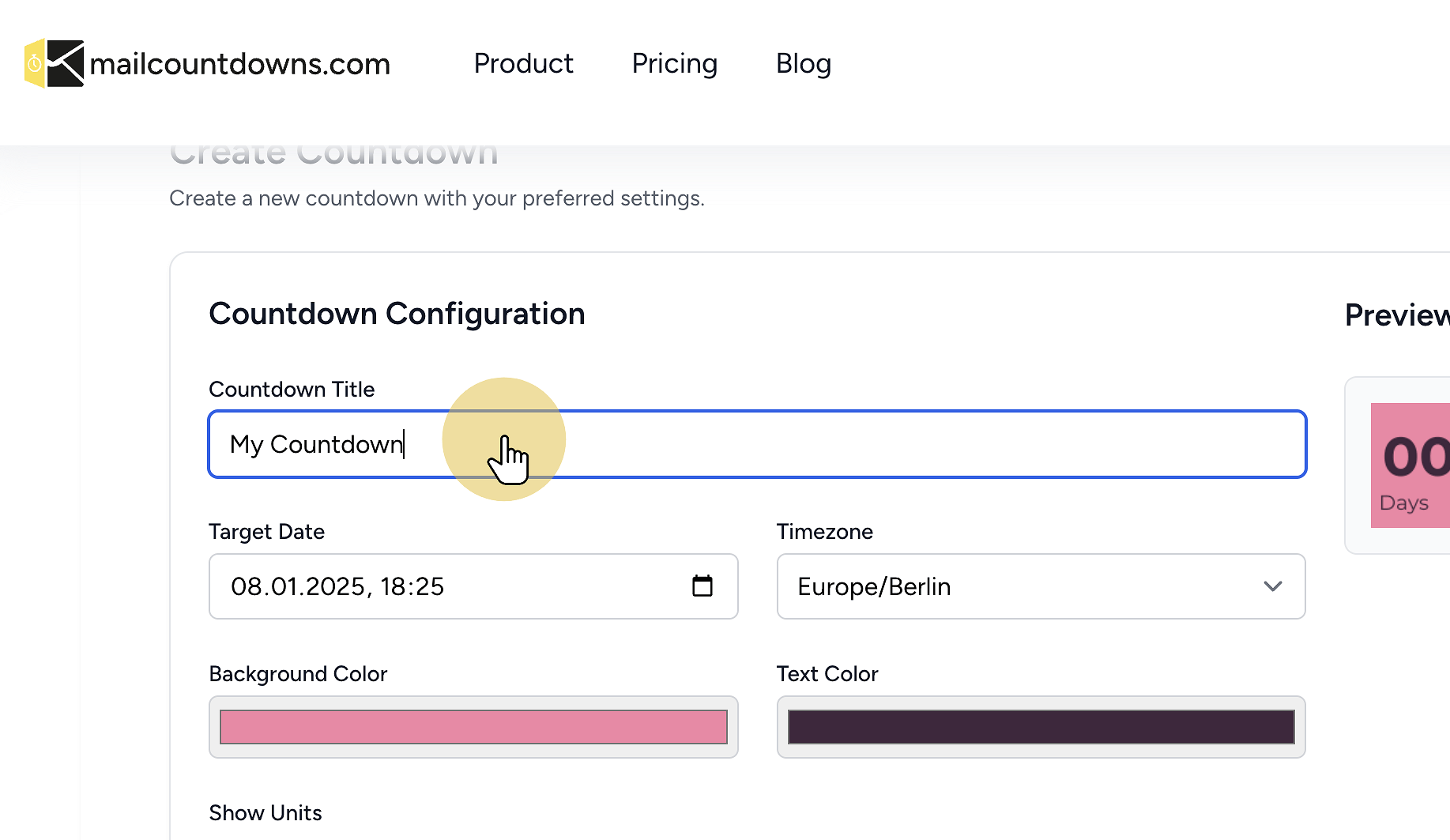
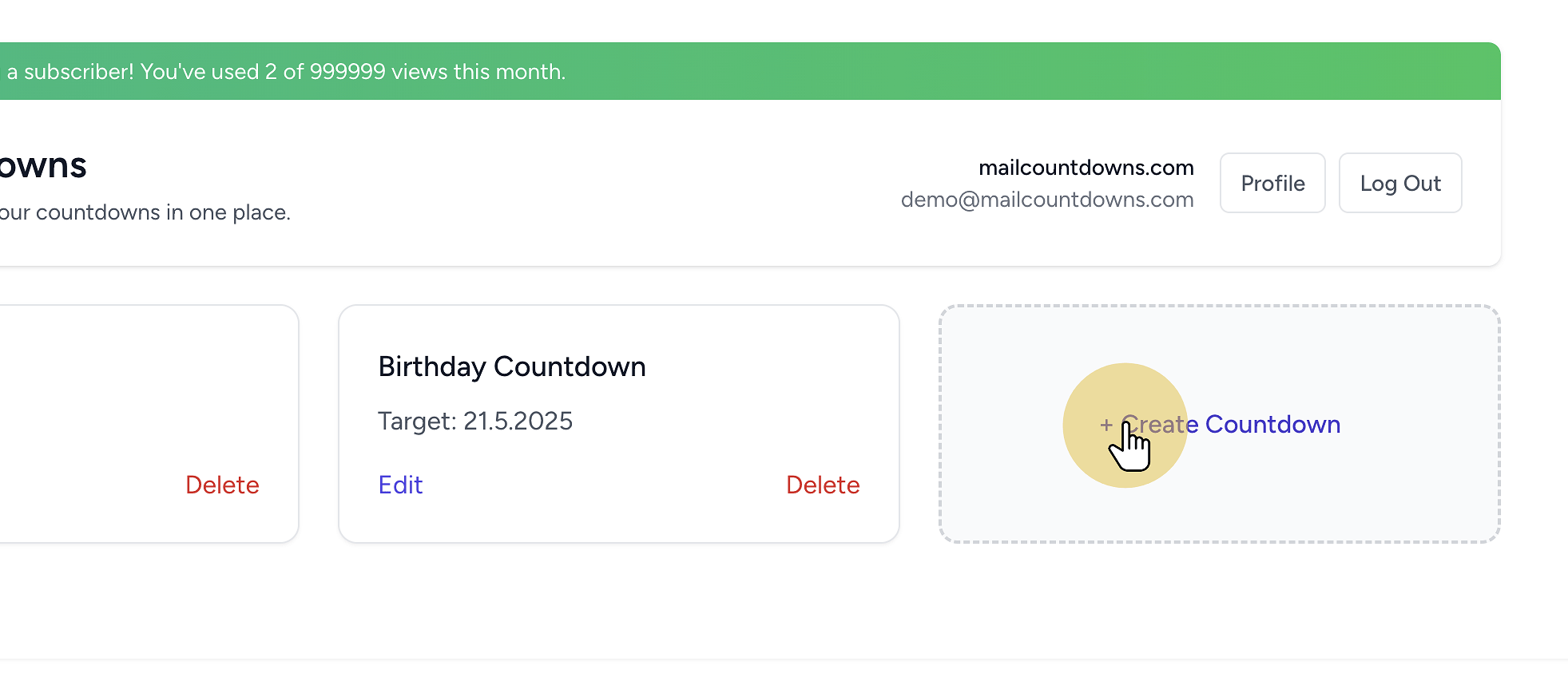 3. Customize your countdown timer
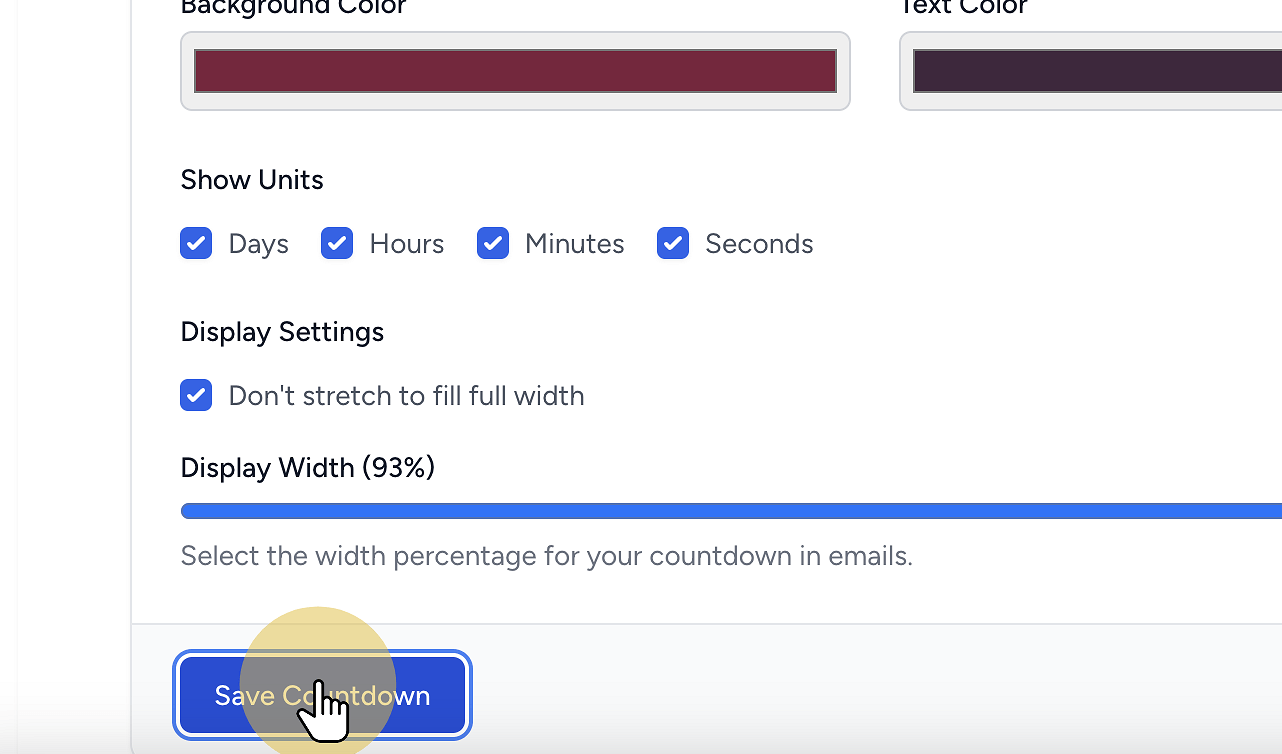
 4. Save your countdown timer
 5. Copy the generated HTML code
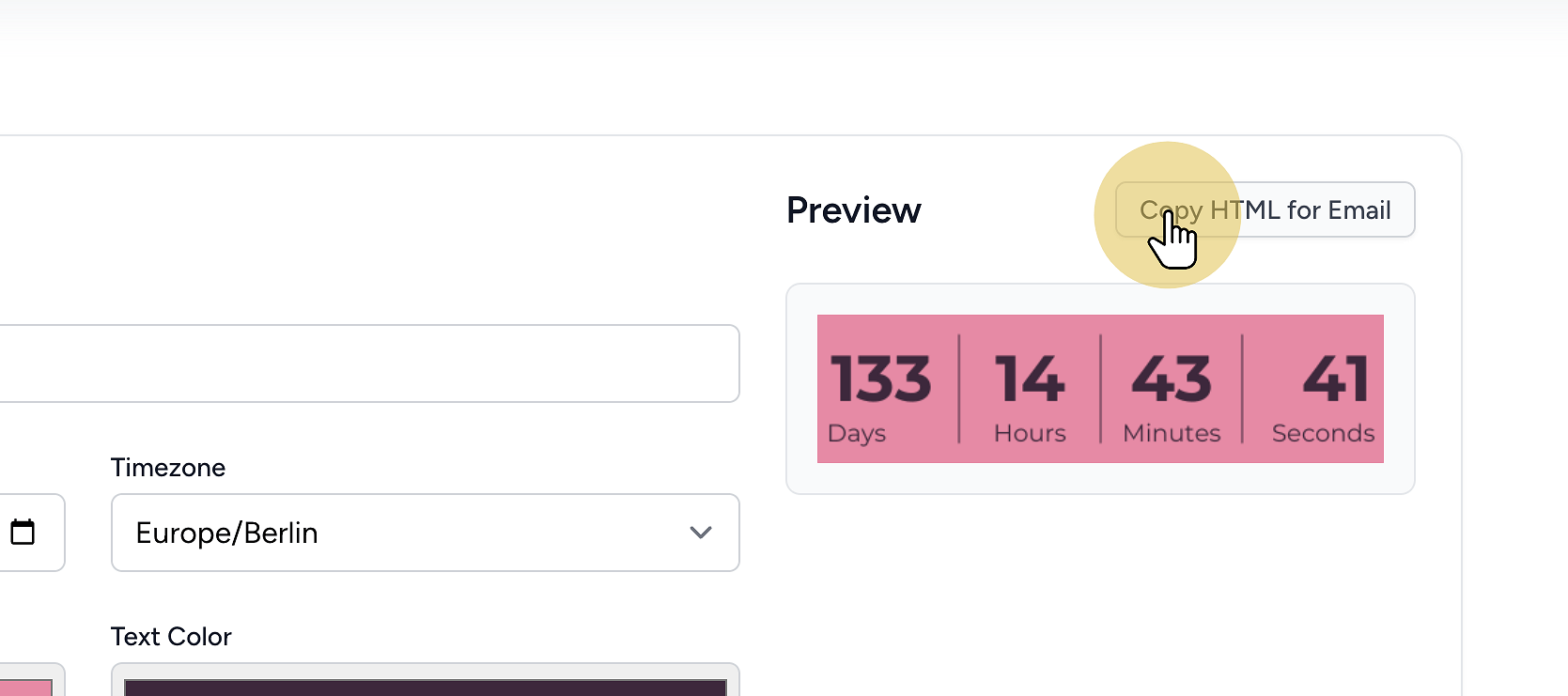
All set! You're ready to integrate your countdown timer. The HTML code is now saved in your clipboard and ready to be used.
After creating your timer, copy the generated HTML and paste it into your email platform. We support all major platforms including Mailchimp, Klaviyo, HubSpot, Omnisend, Constant Contact, AWeber, and many more.
Platform-specific quick steps
- Mailchimp: Add a Code block, paste the code, preview and send
- Klaviyo: Add an HTML block in the editor, paste the code, preview
- HubSpot: Use a Custom HTML module in the email editor
- Omnisend: Drag in the HTML block and paste your snippet
- Constant Contact: Insert the Custom Code block
- AWeber: Add an HTML element and paste the snippet
Need detailed step-by-step instructions? Check out our complete integration guides with screenshots for each platform.
No watermark, even on free
Our free tier shows no watermark on your countdown GIFs. You get a clean, professional look suitable for campaigns and newsletters.
Best practices
- Place the countdown near your primary call-to-action
- Use contrasting colors for readability
- Keep copy concise and focused on the deadline
- Test in a few major clients (Gmail, Apple Mail, Outlook) before sending
FAQ
Does it work in Gmail? Yes. Gmail displays the animated GIF countdown correctly.
What about Outlook? Outlook shows the first frame of a GIF. We optimize that frame to clearly display remaining time. If you're having issues with your countdown displaying, check out our troubleshooting guide.
Is it really free and without watermark? Yes. You can generate and use a countdown with no watermark on the free plan.
Can I localize the timer? Yes. Choose your timezone and language when creating the timer. You can even display the countdown in your recipient's timezone for personalized urgency.
Which platforms are supported? Mailchimp, Klaviyo, HubSpot, Omnisend, Constant Contact, AWeber, WordPress, Brevo, ActiveCampaign and most others that allow HTML blocks. See our full list of integration guides.
Related guides
- Email Countdown Timer — Complete Guide
- Why You Need a Dynamic Email Countdown Service (Not a Static GIF)
- Countdown Timer GIF for Email — Quick Start
- Countdown Timer in Your Recipient's Timezone
- Email Countdown GIF Not Working? Troubleshooting
Integration guides
- Add a countdown in Mailchimp
- Klaviyo countdown timer
- Add a countdown in HubSpot
- Add a countdown in Omnisend
- View all integration guides
Ready to Add Countdown Timers to Your Emails?
Create urgency and boost engagement in your email campaigns with dynamic countdown timers.